2026-06-09
Otu esi eji SpotiDost Ihe nbudata nka
Mụta ka njikọ ndị na-ese ihe si dị iche na egwu yana ihe kpatara ibe ndị nka na-egosi egwu kachasị kama ịbụ katalọgụ zuru oke.
A na-aghọtahie ibe ndị na-ese ihe. Njikọ nka apụtaghị "budata egwu ọ bụla nke onye nka a." Spotify weghachite ozi omenka yana data ụdị egwu kachasị elu, yabụ SpotiDost na-ewepụta egwu kachasị dịnụ nke ọma.
Nke ahụ na-eme ka onye na-ebudata ihe na-ese ihe bara uru mgbe ịchọrọ usoro egwu a na-amata ngwa ngwa na-enweghị ịchụ nta site na ọba na listi ọkpụkpọ.
Ntuziaka a na-akọwa ihe ị ga-atụ anya site na njikọ onye na-ese ihe yana otu esi eji ibe nsonaazụ ya mee ihe nke ọma.
Detuo njikọ profaịlụ omenka
Mepee profaịlụ omenka na Spotify wee detuo njikọ nka site na menu Share. URL kwesịrị inwe /artist/.
Ọ bụrụ na i detuo egwu sitere na ibe nka, SpotiDost ga-ewere ya dị ka otu egwu kama.
Ghọta omume kacha mma
Ibe ndị na-ese ihe na-egosikarị obere egwu egwu, ọ bụghị ihe ngosi zuru oke. A na-atụ anya ya.
Maka ọba akwụkwọ zuru oke, jiri njikọ album ahụ. Maka ndepụta ahaziri, jiri njikọ ndepụta ọkpụkpọ.
Buru ụzọ were kaadị nka nka
Kaadị nka na-egosi aha, onyonyo, na ọnụọgụ egwu ka ị nwee ike kwado na ị meghere onye na-ese ihe tupu ị budata ihe ọ bụla.
Nke a dị mkpa mgbe ọtụtụ ndị na-ese ihe nwere aha yiri ya.
Mgbe ịhọrọ ZIP
Jiri ZIP naanị mgbe ndepụta egwu dị elu a na-ahụ anya bụ mkpokọta ị chọrọ. Ọ bụrụ na ịchọrọ naanị otu egwu, jiri bọtịnụ ahịrị.
Maka ihe osise, jiri Budata mkpuchi sitere na kaadị nka ma ọ bụ ahịrị otu ebe ọ dị.
Ihe atụ ezi uche dị na ya
Onye na-eme ihe nkiri bara uru bụ ịlele aha onye na-agụ egwú ma ọ bụ onye na-ede egwú na ịhụ egwu kachasị ama ama ngwa ngwa. Ọ bụghị nnọchi maka ibe discography zuru oke, na ọdịiche ahụ na-egbochi atụmanya na-ezighi ezi.
Iwu m dị mfe: ọ bụrụ na ibe nsonaazụ na-eme ka ị kwụsịtụ, emetụla bọtịnụ nbudata. Lelee ibe Spotify, detuo njikọ ahụ ọzọ, wee jiri URL ziri ezi laghachi. Imefu sekọnd iri ebe a na-azọpụta oge karịa ihicha faịlụ na-ezighi ezi ma emechaa.
Obere àgwà na-eme ka ihe ịga nke ọma dịkwuo mma
Jiri taabụ ihe nchọgharị nkịtị mgbe enwere ike, ọkachasị maka nbudata ZIP. Ihe nchọgharị in-app n'ime ngwa mmekọrịta nwere ike kwụsịtụ ọrụ ndabere, gbochie nbudata, ma ọ bụ mechie taabụ ebe nchekwa dị arọ na-enweghị ịdọ aka ná ntị. Ihe nchọgharị desktọpụ na-adịkarị mma maka mkpokọta buru ibu, ebe mkpanaka dị mma maka otu egwu na mkpuchi.
Ejila ọnọdụ bọtịnụ nkwarụ dị ka ahụhụ. Ọ bụ ebe ahụ n'ihi na ịpị ugboro ugboro nwere ike ịmalite ọrụ na-ejikọta ọnụ. Mgbe ibe ahụ kwuru na nbudata na-amalite, hapụ ya ka ọ mechaa. Mgbe o kwuru na emechaala, gaa na mmemme na-esote.
Ihe m ga-ezere
Zere mado snippet nchọta edepụtaghachiri, ederede nlele mkpirisi, ma ọ bụ njikọ sitere na ibe chọrọ ịnweta onwe. Zere iweghachi ibe nbudata ahụ mgbe a na-ewu ZIP. Zere ịmalite ZIP wee pịa bọtịnụ ahịrị otu ozugbo, n'ihi na nke ahụ na-eme ihe nchọgharị ahụ na-arụ ọrụ abụọ asọmpi n'otu oge.
Ọ bụrụ na ị na-eji SpotiDost otu a, a ga-ahụ ahụmịhe ahụ: ibe mbụ na-adị ngwa ngwa, ibe nsonaazụ na-elekwasị anya, na mmemme nbudata na-edobe nke ọma iji na desktọpụ na mkpanaka.
Ndepụta ngwa ngwa tupu ịpịa
- Jiri profaịlụ / onye nka / URL.
- Na-atụ anya egwu kachasị elu, ọ bụghị ntọhapụ ọ bụla.
- Lelee foto onye na-ese ihe na aha mbụ.
- Jiri njikọ ọba akwụkwọ maka ọba akwụkwọ zuru oke.
- Jiri ZIP naanị mgbe nyochachara ahịrị ndị a na-ahụ anya.
N'okpuru ala
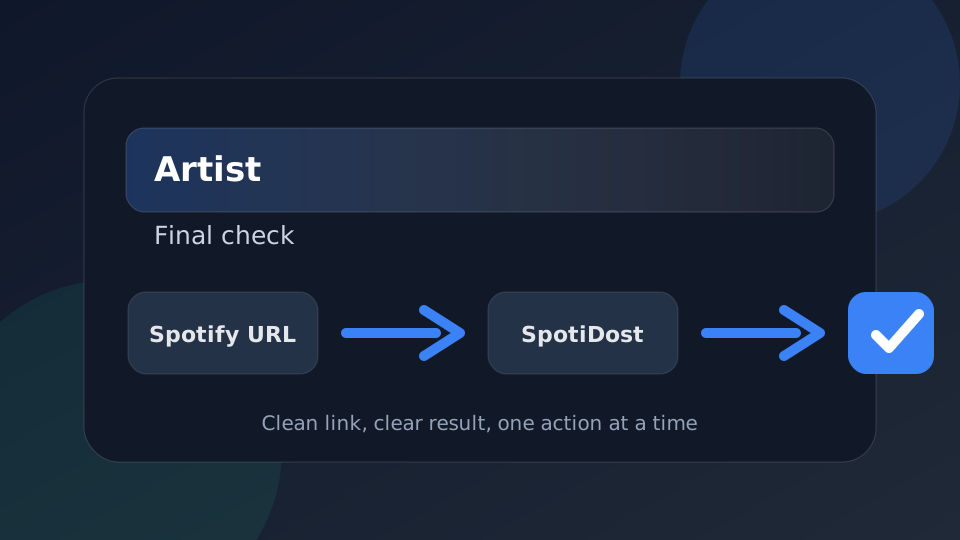
Jiri SpotiDost dị ka nzọụkwụ nkwenye, ọ bụghị naanị bọtịnụ. Detuo aka nri Spotify URL, chere ihu akwụkwọ nsonaazụ, lelee aha na ihe osise, wee jiri otu omume n'otu oge. Omume ahụ dị mfe na-enye ahụmịhe kachasị mma na desktọpụ na mkpanaka.